What Checknaut 5.0.0 was tested on
What it does on your site
Audits, one-click fixes on every page, the Site Score and diagnostics run in wp-admin with no AI account at all, and all of it is free. Scheduled audits and client reports come with Checknaut Pro. Page building, design-system authoring and rescue repairs are the Checknaut Pro part: connect Claude, ChatGPT or any MCP client and they happen through one connection, on your own install.
Audit the whole site
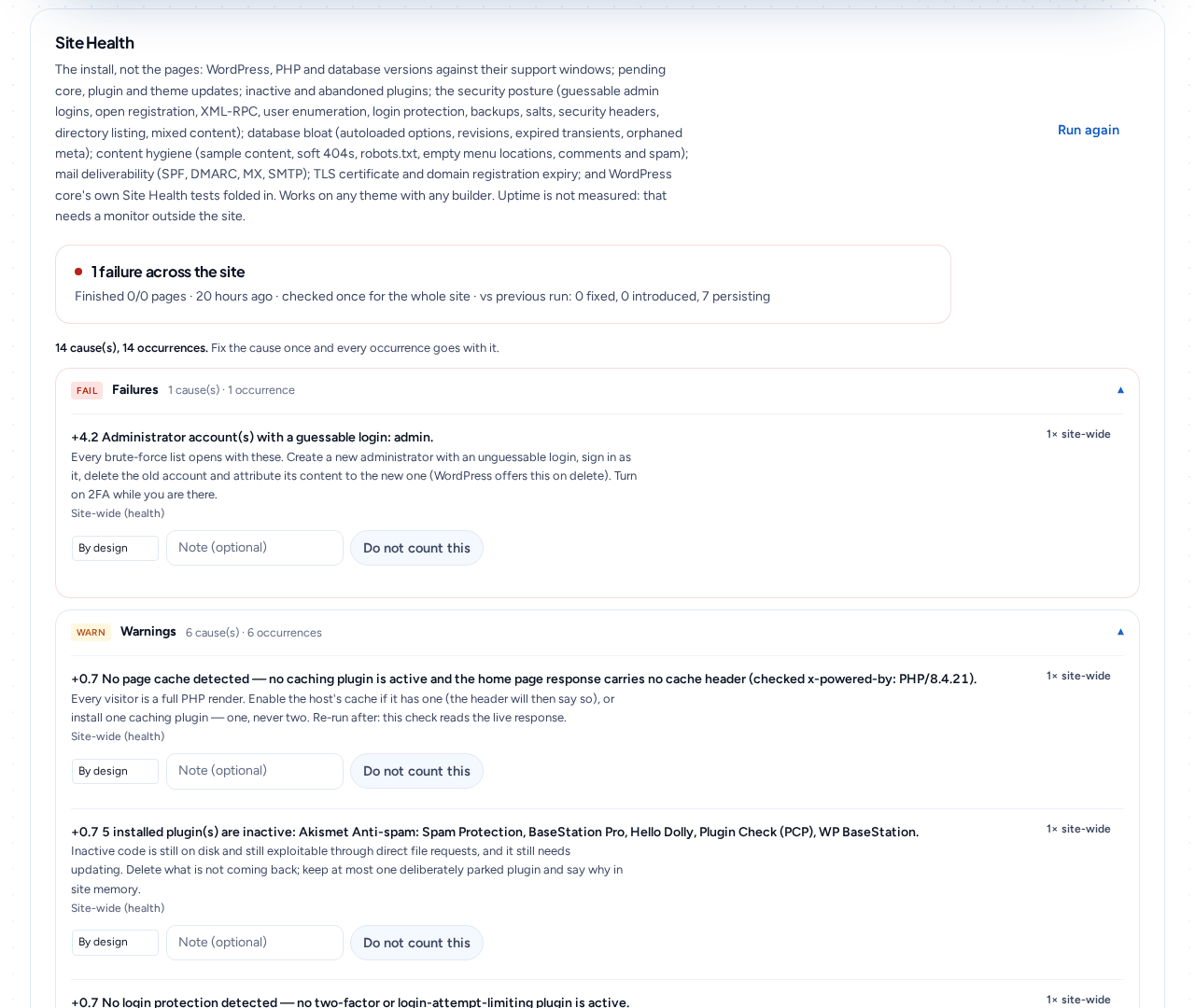
Site Health, site QA, accessibility, performance, SEO and legal pages on any theme, and design taste on Divi 5 — with fixes named.
Fix problems automatically
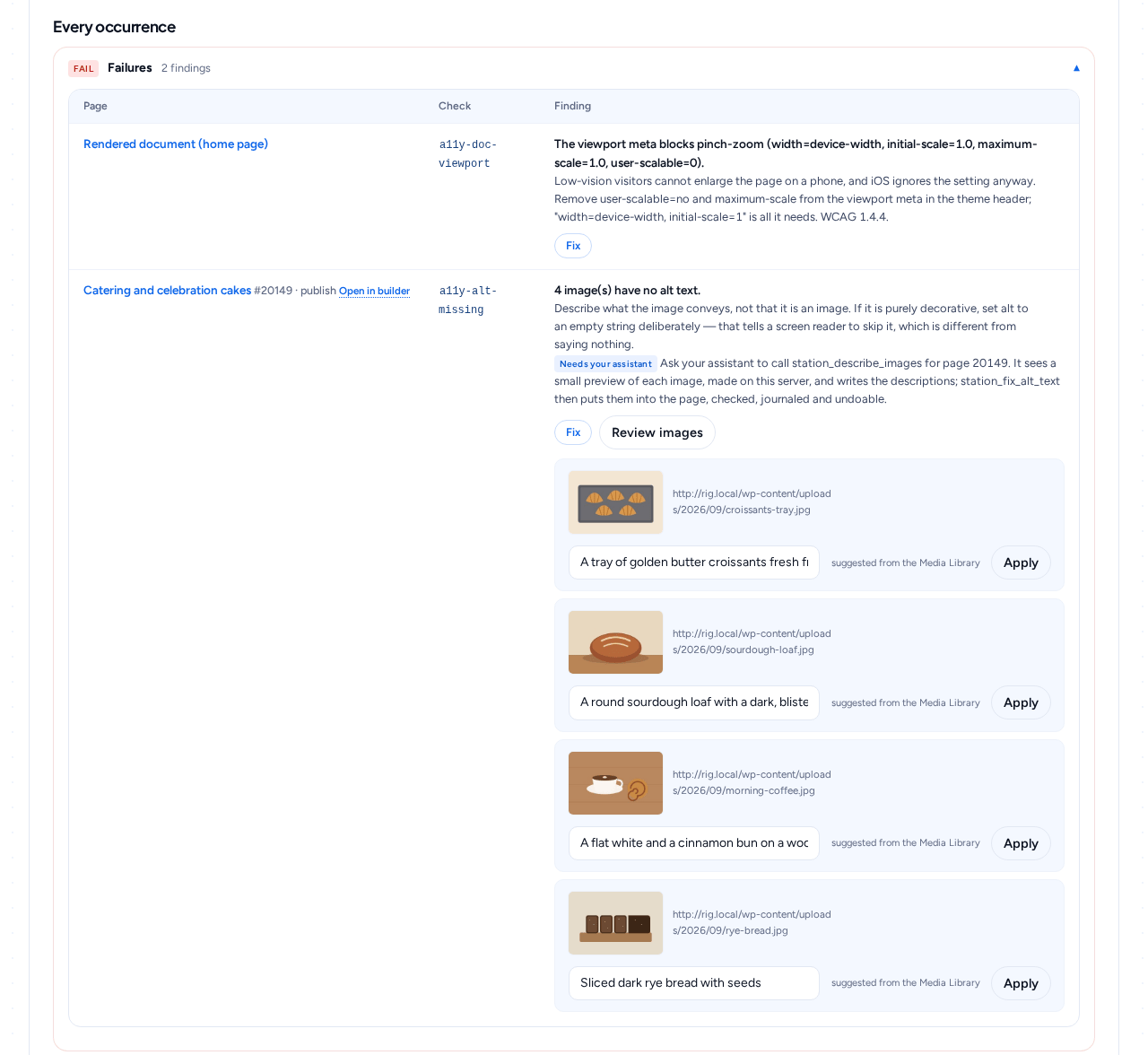
Alt text written, heading structure repaired, images compressed and resized to 2400px — WebP where your host supports it, through WordPress’s own image editor. No third-party service, no API key. The optimised file lands beside the original and every stored reference is rewritten, so every reference WordPress stores keeps resolving, and undo puts the original back byte-for-byte. Missing legal pages arrive as drafts to review.
Build pages with your AI assistant
Create and edit whole pages by chatting, on Divi 5, Elementor or the block editor. On Divi 5 and Elementor it builds with the design tokens you already have, so what lands is on brand.
Design system & patterns
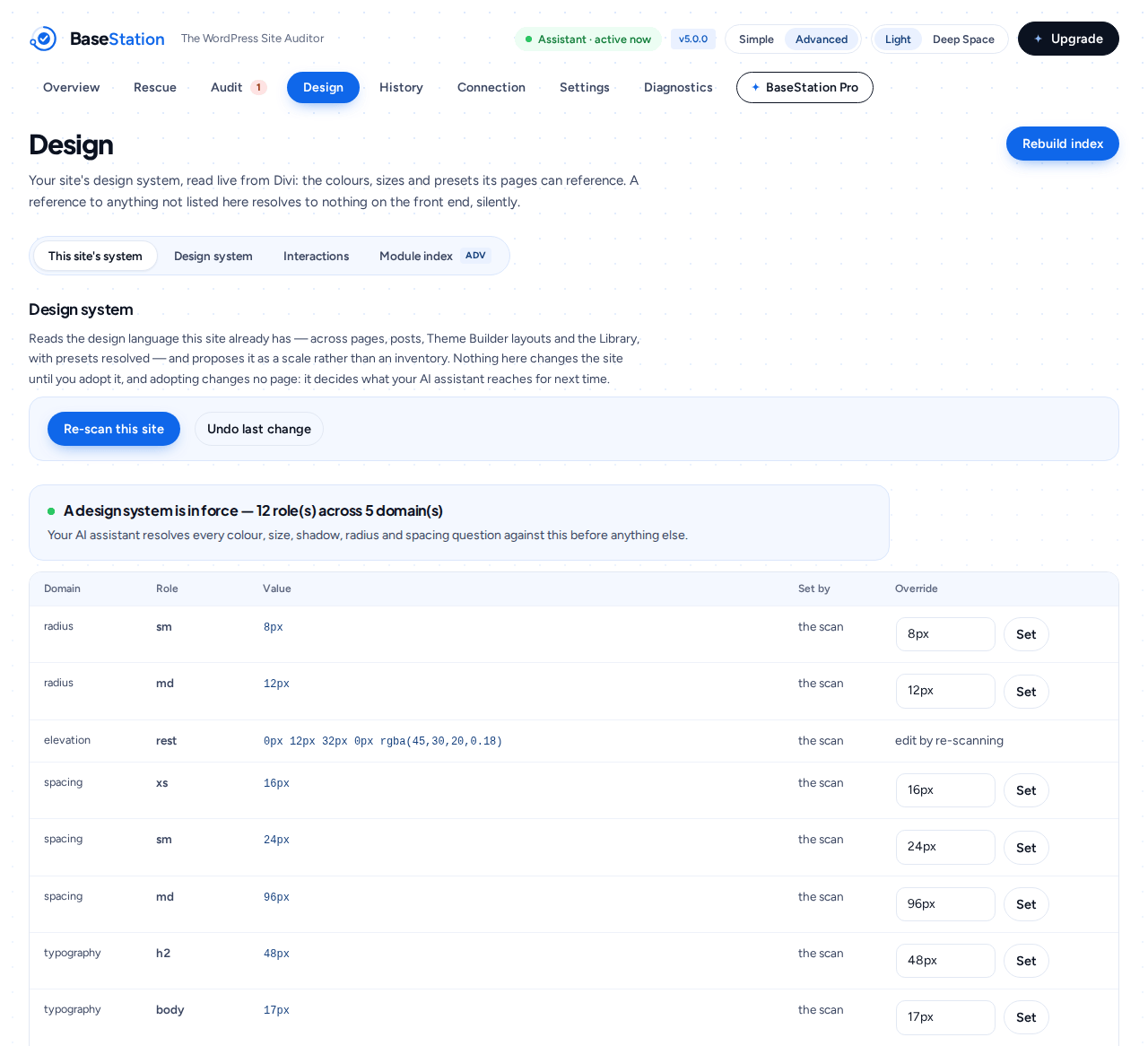
On Divi 5: your type scale, colour scale, spacing steps and presets, ready-made section patterns bound to your palette, and a style-guide page on request. On Divi 5 and Elementor: resolvers, so your assistant picks a real value instead of guessing.
Safety net
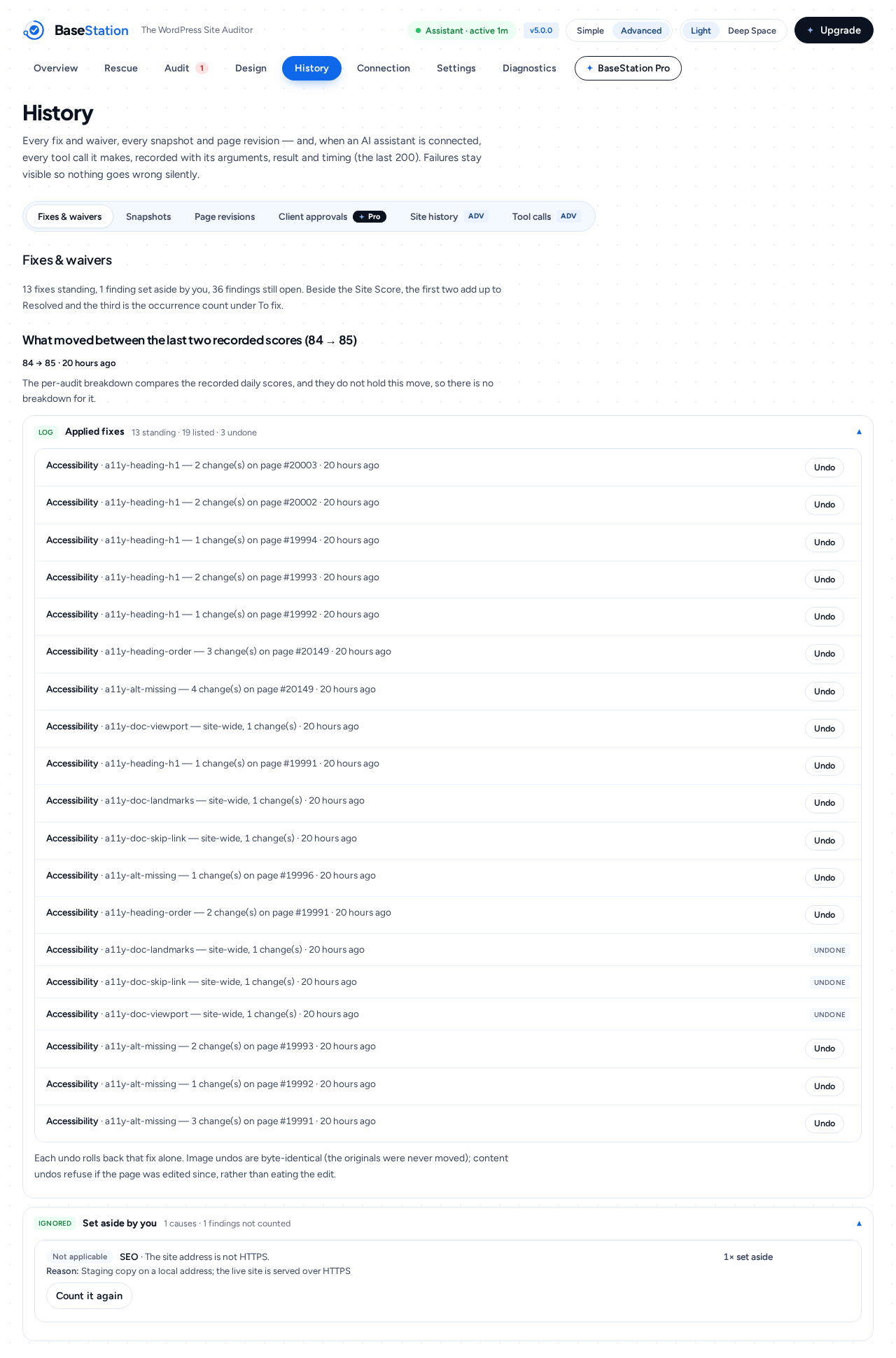
A snapshot before every design-system write, every write logged, one-click undo. All of it shows up in site history — and snapshot and revision restore is never paywalled, including after a licence lapses. Whoever most needs one is on the free tier by definition.
Rescue an older site
Divi 4 → 5Classifies up to 300 pages: Divi 4 shortcodes, classic content, shortcodes from plugins that are long gone. Then it returns an ordered fix plan your assistant works through page by page, one step back at every write.
Beyond pages
✦ProBlog posts, Theme Builder headers and footers on Divi 5 and Elementor Pro, and WooCommerce shop, cart, checkout and product pages on Divi 5 — your assistant builds those too.
Audits on a schedule
✦ProRun the auditors on a schedule and get an emailed digest that leads with what changed and stays quiet when all is clear.
Diagnostics
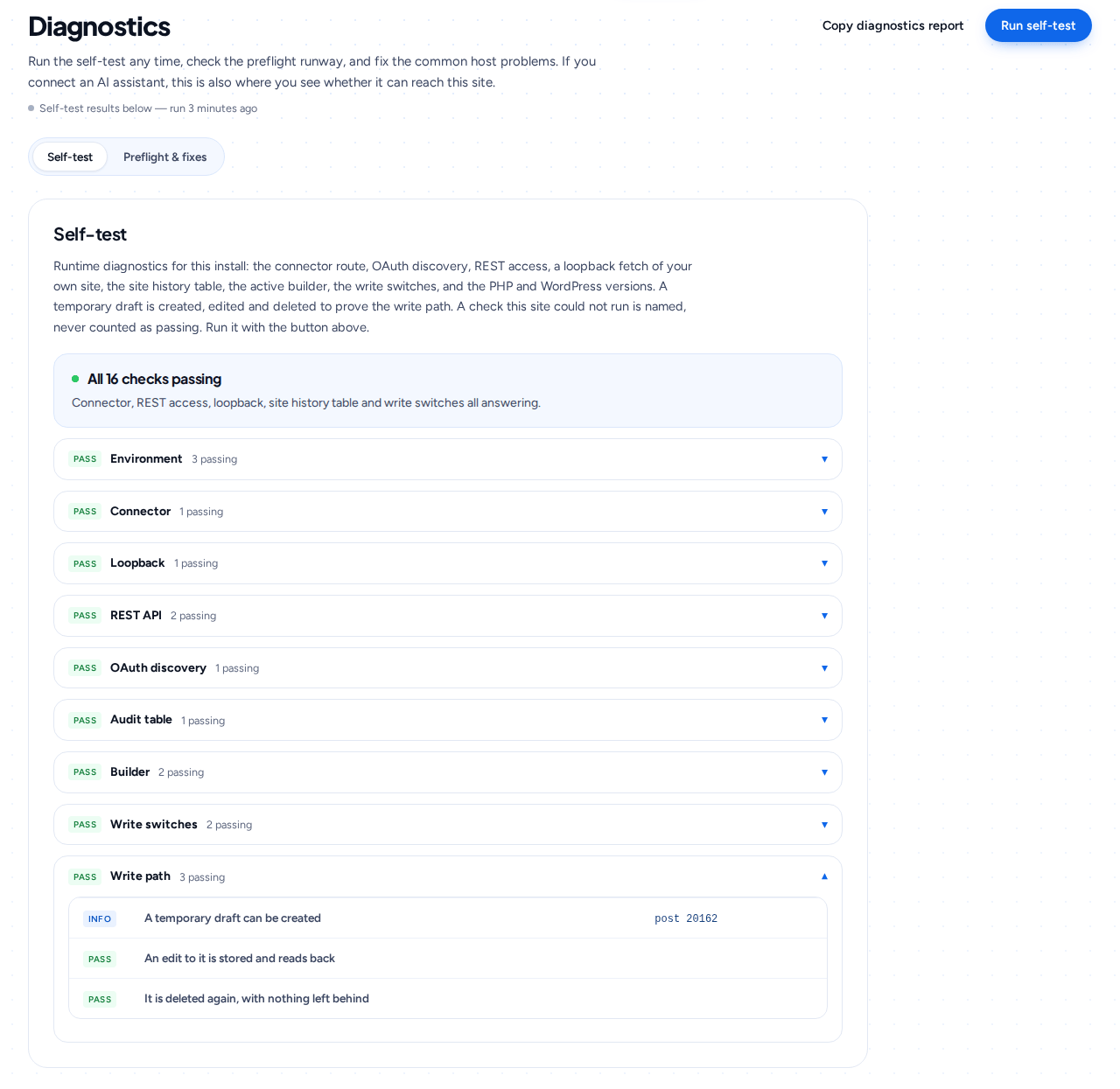
self-testConnector self-test, preflight and plain-language fixes for the common host problems. Every check runs against your exact install rather than a fixture — and the download from this site carries the whole suite, so you can run it yourself any time.
Loop Builder, dynamic content and display conditions
✦ProOn Divi 5, build a loop and point it at any query — posts, products, a custom post type. Bind module fields to real post data, list what is bindable on this site, and set display conditions so a section shows only when you say.
Go for launch in three steps
Setup, connection and troubleshooting all live inside the plugin, under Checknaut → Connection and Diagnostics.
Install the plugin
Upload Checknaut and activate. No config files, no server work. Needs WordPress 6.5+ and PHP 8.0+. Any theme, any builder.
Upgrading later? Checknaut Pro is a second plugin that installs beside the free one — upload it under Plugins → Add New, activate, and paste your licence key under Checknaut → Checknaut Pro. The free plugin stays exactly where it is: settings, pages, audit history and journal untouched, because nothing is replaced. Same key on every site in your plan. Running a 4.x version from before the rename? Install Checknaut, activate it, then deactivate the old plugin: settings, the connector, OAuth clients and history carry over.
Run your first audit
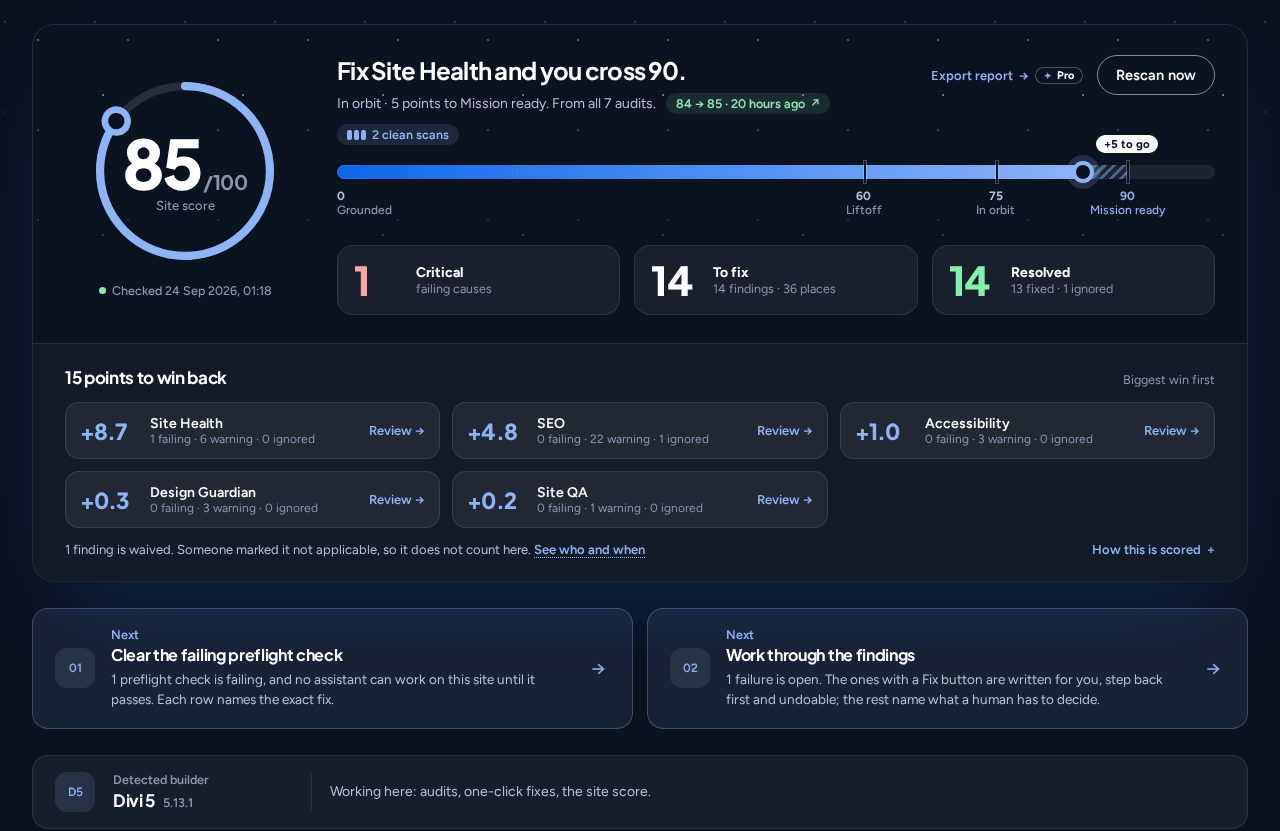
Open Checknaut → Audit and press Run full audit. Seven audits run in sequence behind one progress bar; when they finish you get a Site Score, the open Issues, and a Fix button on every finding the plugin can repair — each one journaled and undoable.
Optional: connect your assistant
Want to audit and fix by conversation, or, with Checknaut Pro, have pages built? Paste one URL into your assistant’s connectors and sign in. Authentication is OAuth 2.1, or a static key if your host prefers it. Then: “Build me a pricing page.” Your assistant reads your design system and ships sections native to your builder — audited, logged, reversible.
Sound familiar?
“My client got an ADA demand letter about their website.”
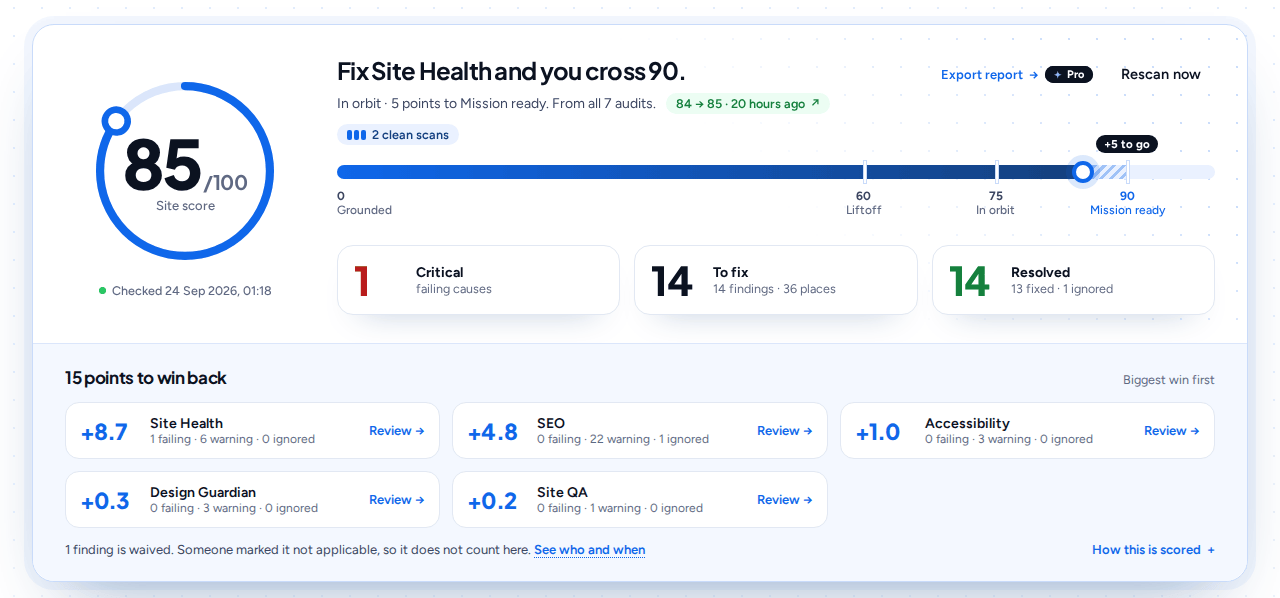
The accessibility audit reads every page the way a scanner would: contrast pairs, missing alt text, heading order, link text. It names the exact module behind each failure. Many fixes are one click, each journaled and undoable, and the statement helper keeps your accessibility page honest about what is left.
To be clear: this is an automated scan, not legal advice. Clearing it does not make a site compliant, and it does not answer the letter. It fixes what a scanner can see and tells you what it cannot. The letter is a conversation with your lawyer.
“Google keeps cutting my page titles off mid-sentence.”
SEO findings render the actual search result: the part Google keeps stays bright, the part it cuts is struck through, and a missing description shows what searchers get instead. You fix the title looking at the card a searcher will see, not counting characters.
“The homepage takes forever on mobile and nobody knows why.”
The performance audit lists the exact offending images, each with its thumbnail, file size and width. One click compresses and resizes them, then reports the bytes saved. Files it cannot safely touch are listed with the reason, never silently skipped.
“The old brand purple is hardcoded across forty pages.”
Site QA finds every hardcoded colour and size, and Fix all, a Checknaut Pro button, swaps them for your design tokens — after showing a page-by-page plan and writing only the set you approved. The next rebrand becomes one token edit, not forty page edits.
“I took over a Divi 4 site and half of it renders as bracket soup.”
The rescue scan classifies every page: clean Divi 5, Divi 4 shortcodes, broken builder meta. It finds leftovers from removed plugins and returns an ordered fix plan you execute step by step. Snapshot first, always.
“I do not trust one-click fixes on a client’s live site.”
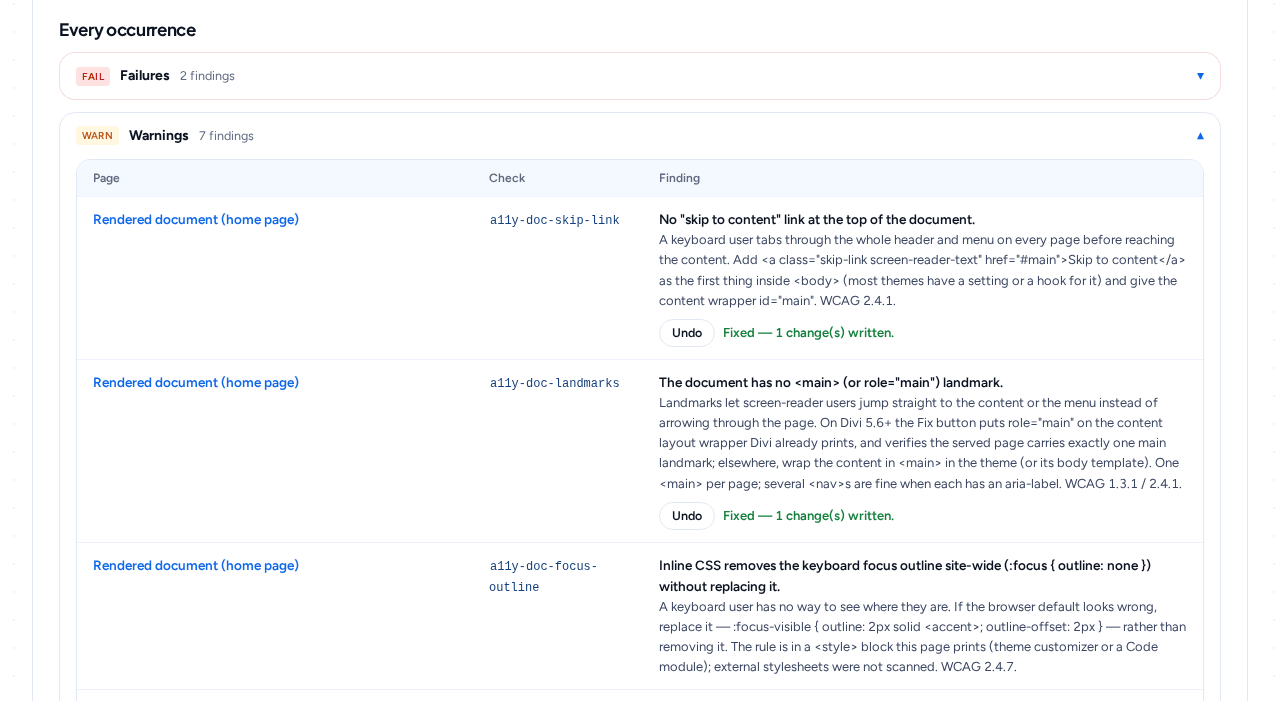
Neither do we. Every write is journaled with an Undo beside it, bulk fixes in wp-admin show their plan before they run, replacing the content of a published page takes a second confirmation, and undo checks whether the page changed since the fix and stops if it did, and a revision or saved copy stands behind every page write. You can always step back.
What it guarantees
It won’t invent taste you haven’t shown it.
The design system is read from pages you already built. On a fresh install there’s nothing to read, so you get honest defaults and a prompt to set your palette and scales — not a guess dressed up as your brand.
It won’t quietly pass you.
Audits name the failing node and the rule it broke. Fixes are offered, never forced, and nothing blocks you from publishing. The judgement call about what ships stays yours.
It won’t overwrite you without a way back.
One step back before every page write — a WordPress revision, or a saved copy of the previous content where revisions are switched off. Either way, one command puts the page back. Turn on design protection and it refuses to touch your adopted design values at all — while still building pages.
How it compares
The other ways to put an AI on a WordPress site, as their own documentation describes them on the day we checked, next to what this plugin does and has been tested doing. Versions are named so you can check the row that matters to you.
How to read it. ✓ documented and, for this plugin, tested. – partly there, or a different thing. ✕ not there, or not documented anywhere we could find. Every competitor cell comes from that vendor’s own docs, repo or plugin listing on the date shown — none of them was installed and tested here, so “not documented” means exactly that. Where they are ahead, the table says so: Novamira Pro and Respira write to more builders than this plugin does; Respira says its edits stay undoable for 90 days, where Checknaut Pro keeps rollback sessions for 30; Divi Connect builds pages from Figma designs and the Divi AI Agent builds from a screenshot, which this plugin does not. Neither Divi Connect nor Novamira publishes an install count, so none is shown for them.
Sources: Divi Connect · Divi Connect changelog · Novamira Pro pricing · Novamira Divi notes · Novamira changelog · Divi AI Agent help · Divi AI Agent · Elementor · Elementor MCP · Angie · AI Engine · AI Engine Pro · Respira pricing · Respira Divi MCP.
Pick your orbit
Or start on the free tier. 53 of the 175 tools: every audit and every one-click fix, on every page. No account, no email, no card. Download the free build →
Licensed & billed via Freemius · the plan you pick renews automatically at the same price until you cancel, and you can cancel any time from your Freemius account
What an agency asks first
Six straight answers to what agencies ask before they buy.
Pages are read from Elementor’s stored element tree and audited by element id. Alt text, heading level, link text and element settings are fixed through Elementor’s own save, each with an undo. With Checknaut Pro it builds whole Elementor pages too: containers, classic widgets and the 4.x atomic ones, written through Elementor’s own save and verified against the rendered page.
Set a brand name and logo once under Settings → Client reports, and every exported report is “Prepared by” you, with your logo in place of ours. A short trademark notice in the footer still names Checknaut. Every paid plan, no add-on.
The plugin adds no JavaScript to the front end unless you switch on the optional Motion framework in Settings. The only front-end output is whatever a repair you switched on needs: a skip link, a viewport fix, structured data, on Divi the CSS variables for your design tokens, and a font stylesheet link when you ask it to load a font. Everything else is wp-admin and the connector.
An assistant reaches the site through one connector URL you copy from wp-admin, signed in with OAuth or a key you can rotate on the Connection tab. Every call is logged with the client’s name. The safety switches decide what it may write: read-only, draft-only, confirm-overwrite, protected design.
Activate the key in wp-admin on each site; release a seat from the same panel when a site retires and use it on the next. Renews at the same price, cancel any time from your Freemius account, 7-day money-back for any reason.
Still have questions? Read the FAQs or tell us about your site
Tell us about your site
A question before you buy, a site you are not sure it fits, an agency roster to license, or a bug to report. It goes straight to the person who builds the plugin, and you get a reply from a human.
Only your email and the message are required. Nothing is stored on this site beyond the email that is sent.